
¶ Apple Classroom - FAQ
Use the following guide to answer the frequently asking questions regarding apple classroom.
¶ Why are my students showing as offline in Apple Classroom?
There are two reasons to why students may be appearing as offline :
- Apple Classroom session needs restarting
- Students requesting to leave
¶ 1. Classroom Restart Needed
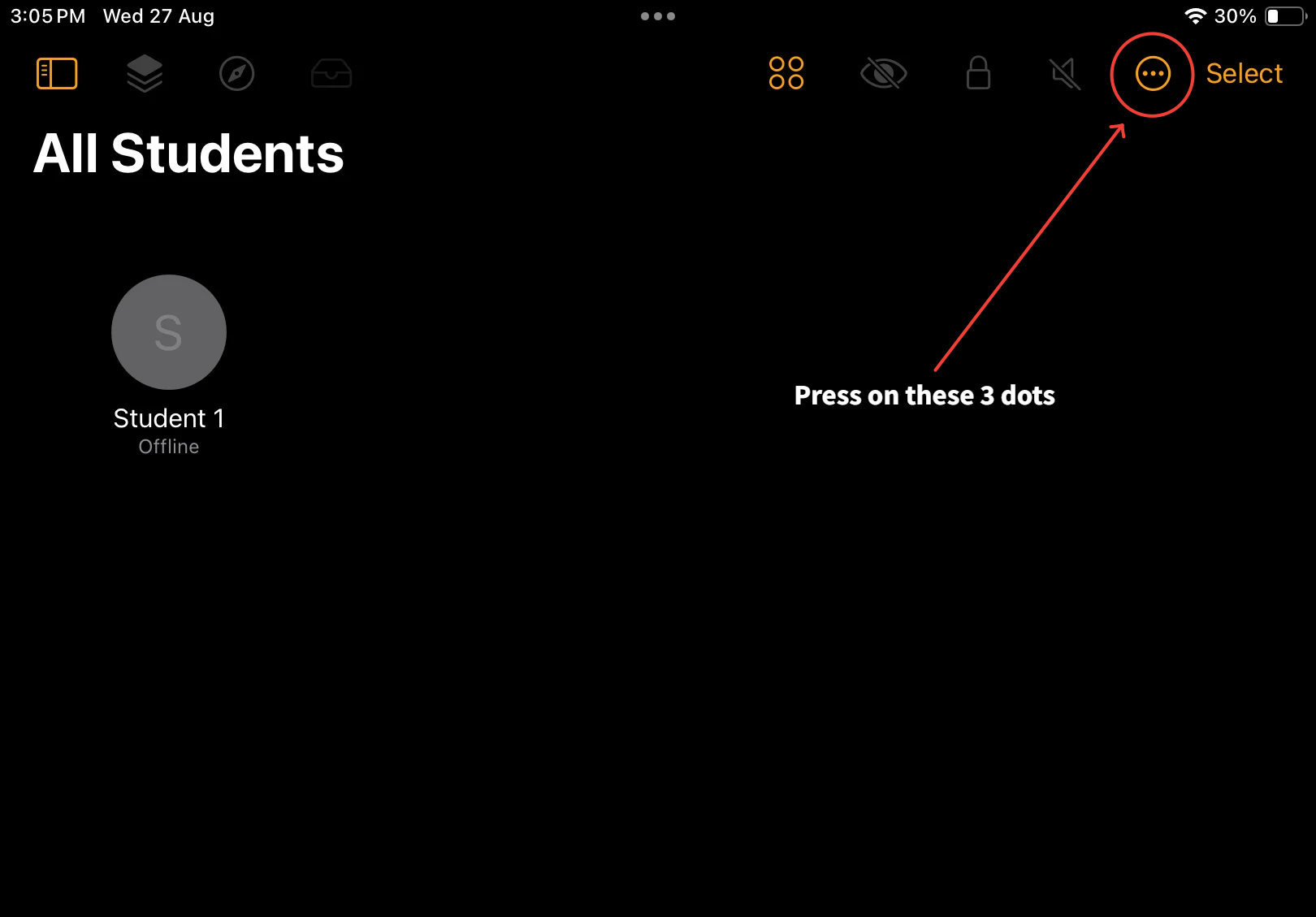
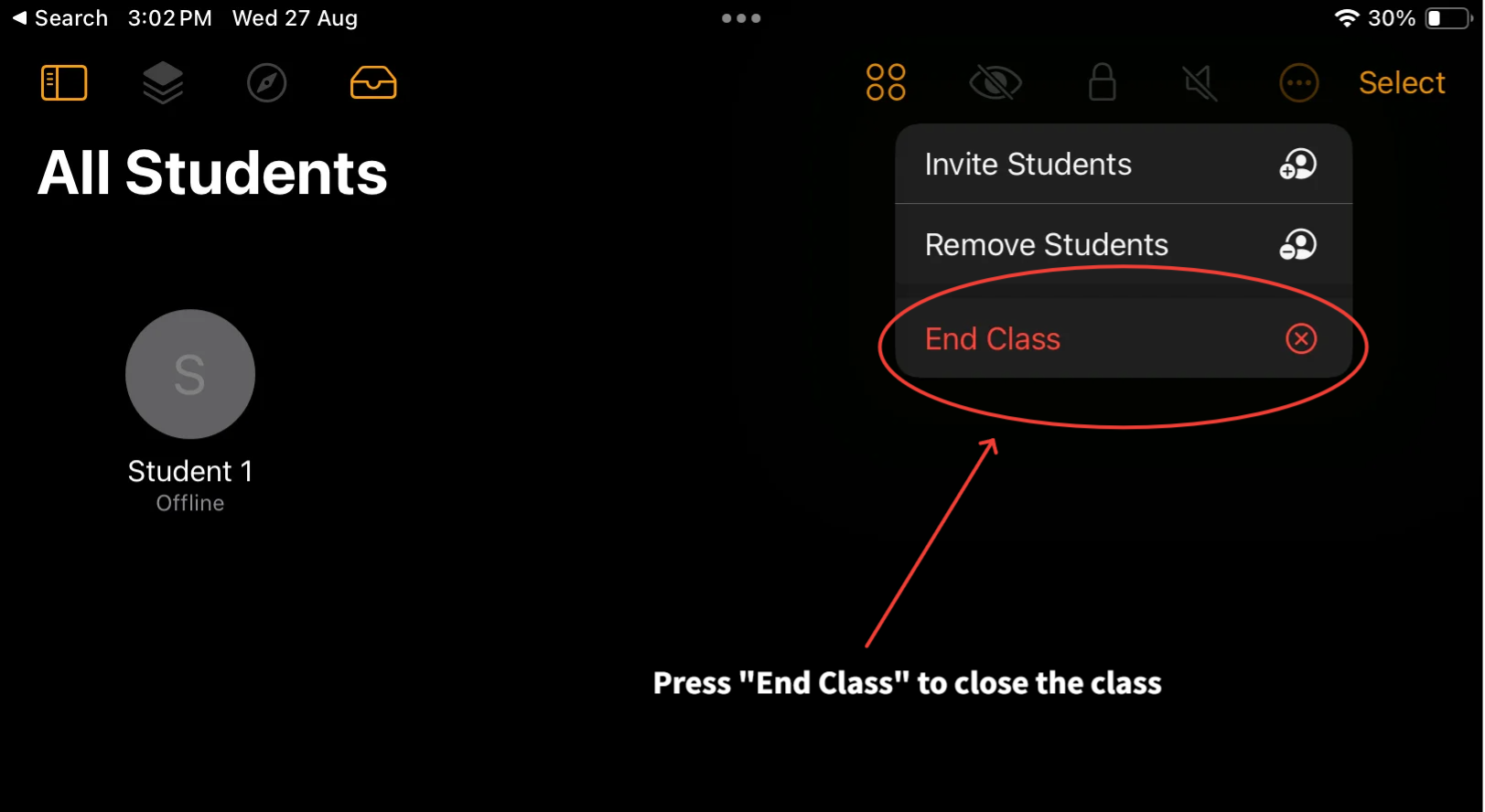
Apple Classroom can get stuck in an old session. First try to ‘End the Class’ and reopen it.
¶ 2. Student Request to Leave
Another reason students may be appearing offline is due to a student ‘requesting to leave’ the classroom.
An Apple Classroom update introduced a “request to leave” feature. If a student submits this request and no action is taken by the teacher within 21 days, the iPad automatically removes the student from the class. At this stage, the student may still display as enrolled but will show as offline.
You will have to re-add the student to your classroom if this is the case.
Recommended Action:
- Open Apple Classroom at least once every 1–3 weeks.
- Check for pending leave requests.
- Address requests with students as needed.
This will ensure classes remain active and students stay connected.
¶ What to do if a student is showing offline in Apple Classroom?
- Re-add the student: If a student shows offline after being removed, you’ll need to re-add them to your class.